MesoLive v3.0: New Interface, Live vs. Backtest, and Tradier Support
We are happy to release MesoLive v3.0, the largest update since MesoLive went live two years ago. It has one goal: you trade the strategy the way you tested it.
- New interface for the portal and the agent, in line with MesoSim v3.3
- On your phone: follow your strategies and trade them on the go
- Live vs. Backtest: Strategy Details compares your live performance with the backtest
- Strikes and Greeks computed as in MesoSim, at every brokerage
- Tradier joins Interactive Brokers and TastyTrade as a supported brokerage
- Guided setup from the subscription to a connected brokerage
MesoLive reads the Strategy Definition you backtested in MesoSim and does the daily work with you: it builds the position, finds the strikes, watches the rules and shows the risk. Version 3.0 makes each of these steps visible.
The screenshots show a demo paper account that trades four strategies: Genetic Rhino, whose first year out of sample we published alongside this release, Chital (a double diagonal), Boxcar and a 0DTE Iron Condor. Its history was generated from the backtests of these strategies. The quotes are live, taken on November 19, 2026, and the order example was sent to an Interactive Brokers paper account.
Today
Today is the new start page. Its calendar shows what every strategy did and what it plans: the entries, the exits with their P&L, and the entries that are scheduled next. Needs attention collects what waits for you, such as a triggered adjustment or a stop loss.
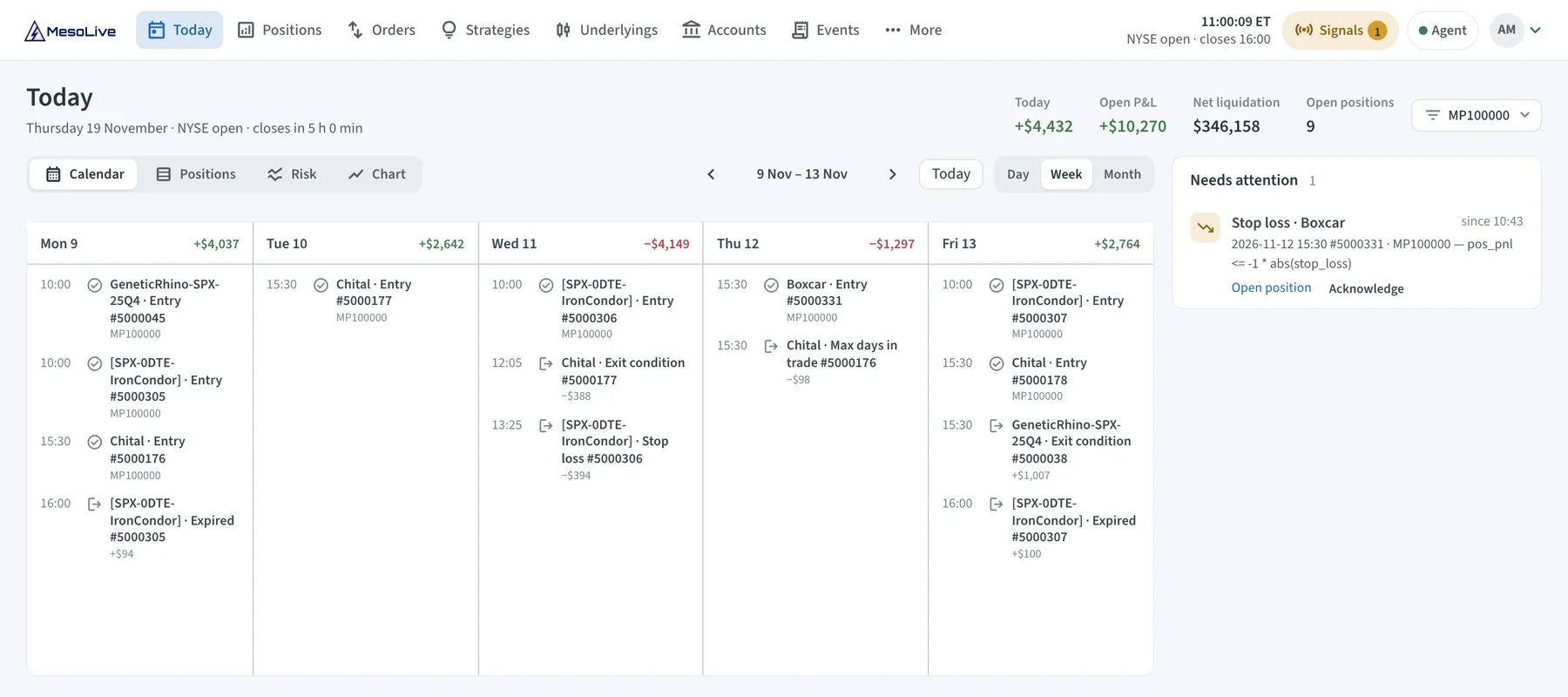
The week view of Today's calendar on the demo account: four strategies, their entries and exits, and each day's P&L.
The Risk view draws all positions of an underlying as one risk graph, whichever strategy they belong to.
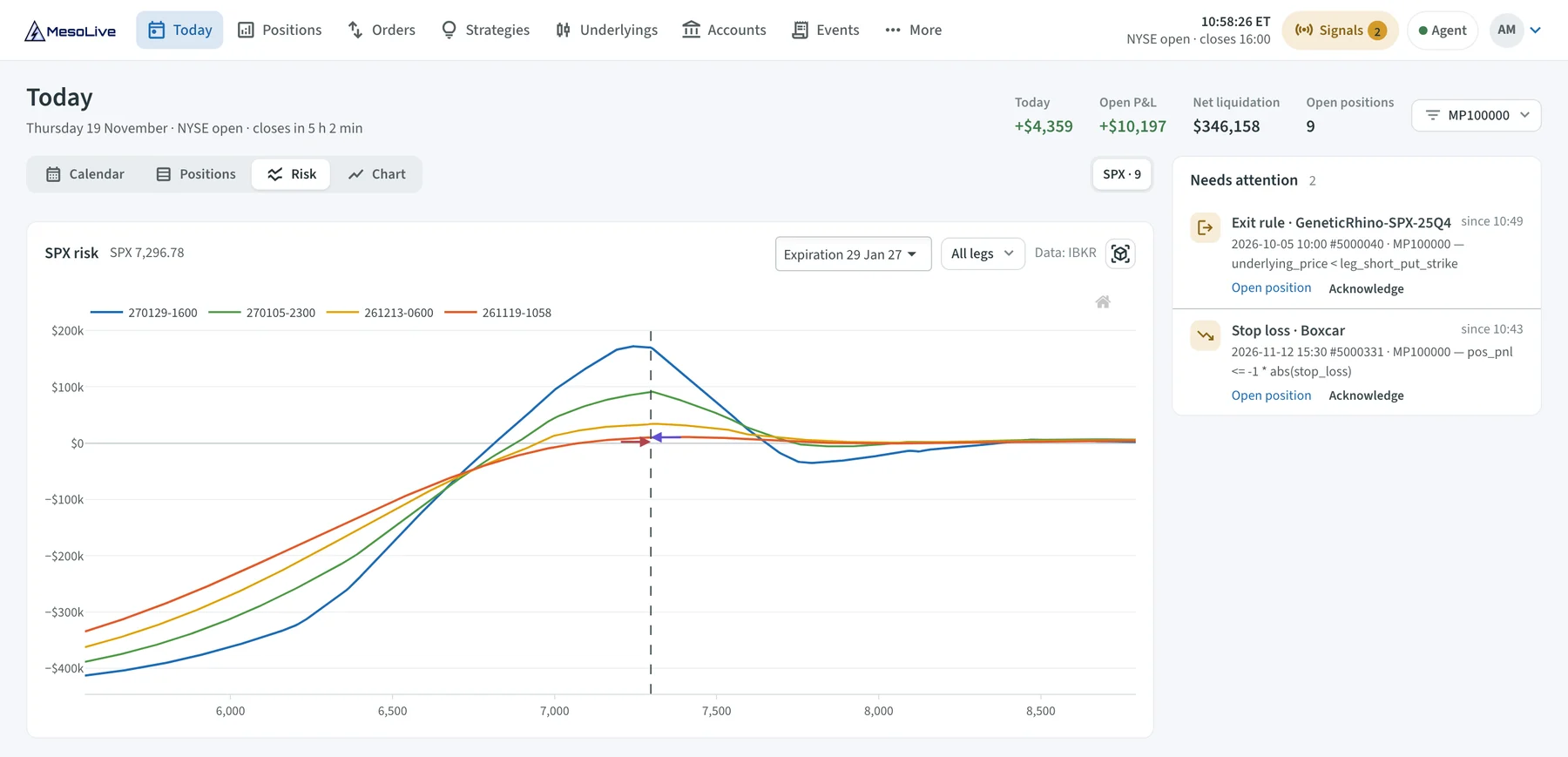
Today's Risk view: the nine open positions of three strategies as one risk graph.
MesoLive on your phone
MesoLive 3.0 is made for the phone as much as for the desk. There is nothing to install: sign in at mesolive.io in your phone's browser, and you get the whole product in a layout built for a small screen.
You can follow the risk of the account and of every position wherever you are.
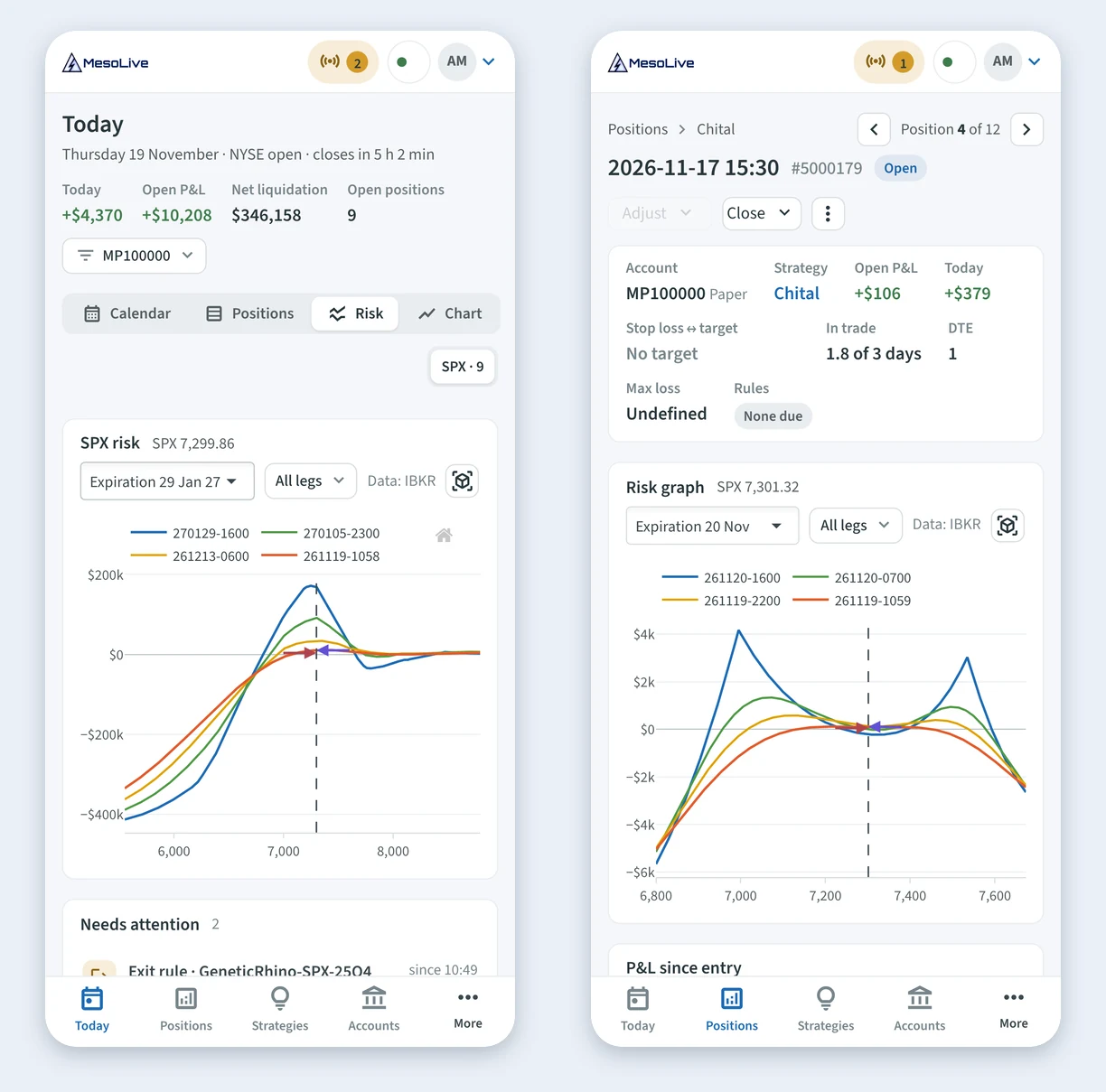
Today's Risk view with the account's risk graph, and the Chital position, on a phone.
And you can act. When a rule triggers, its action is one tap away, and a new position, an adjustment or a close goes through the same three steps as on the desktop: Build, Leg groups, Price & send. Your agent keeps running on your computer or server; on the go, the phone is all you need.
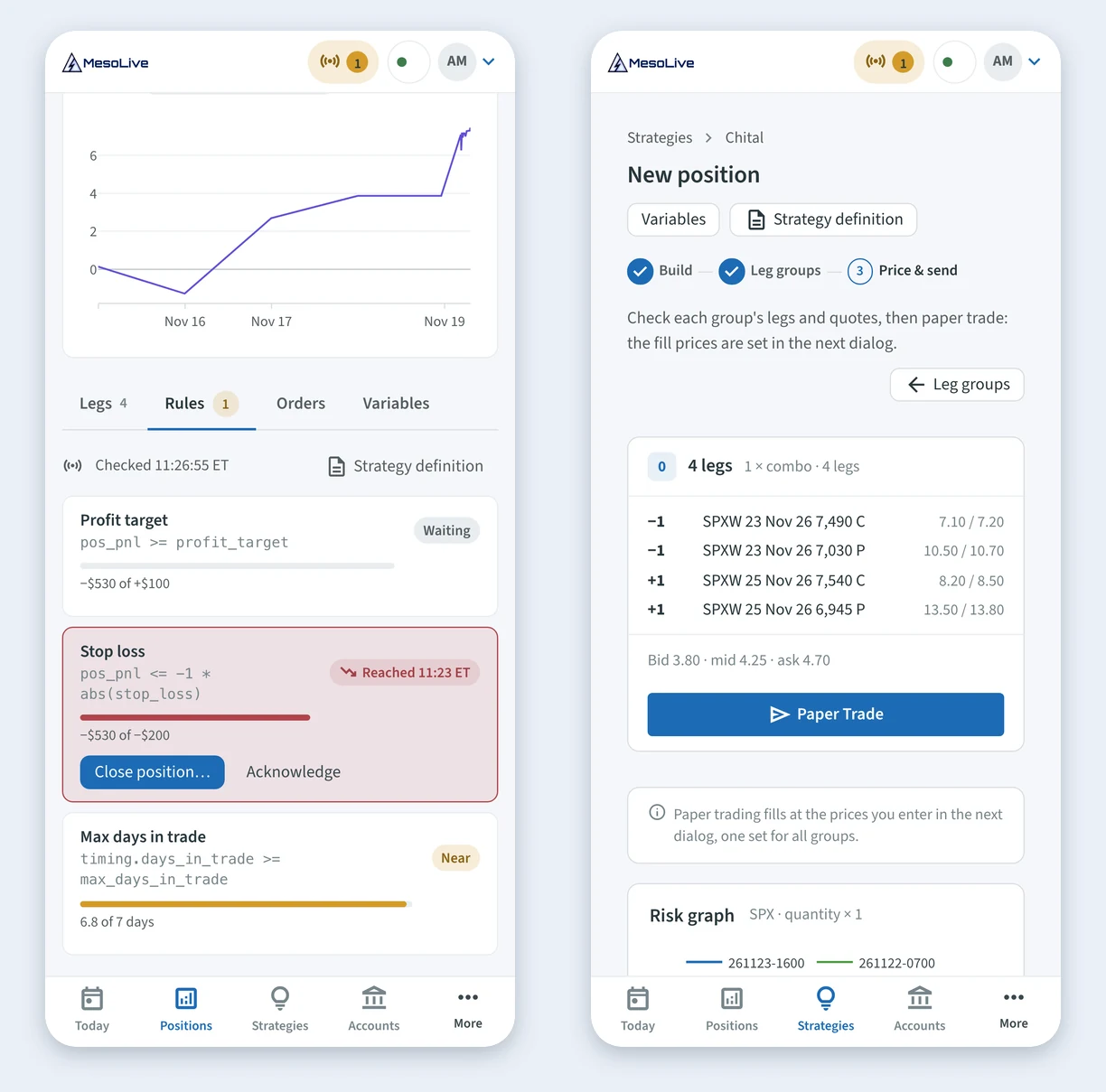
Trading on the go: a stop loss that was reached offers Close position…, and a new Chital position is ready to be sent.
From the backtest to the position
Trade Live on a MesoSim backtest sends the strategy to MesoLive. New position then builds the trade from the same definition: it picks the expirations and finds each leg's strike on the live option chain. The page shows every selector beside the strike it found, so you can check the result before anything is sent.
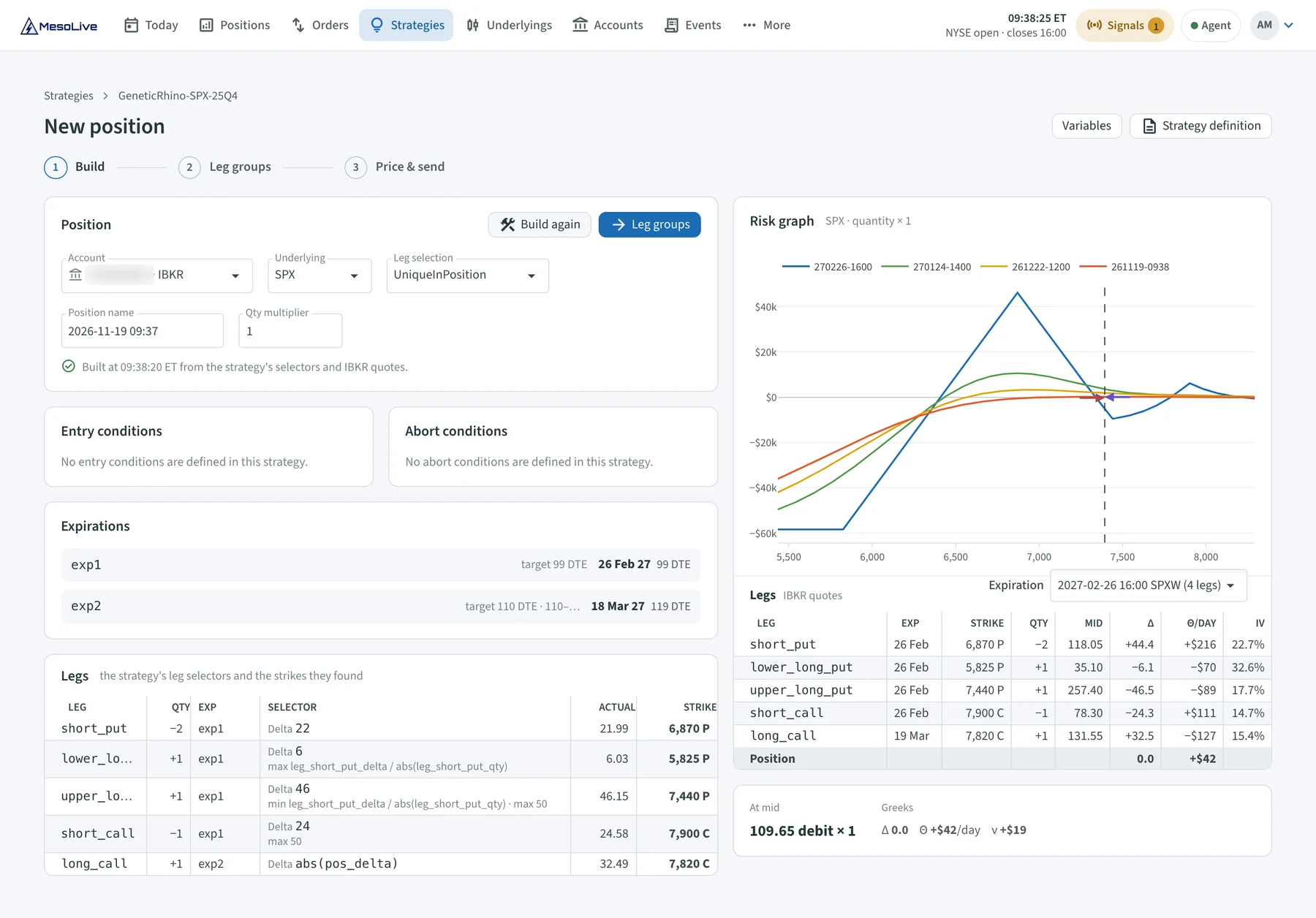
New position after Build: every leg with its selector, the delta it got and the strike.
Then you price each order group from the live quotes of its legs and send it to your brokerage.
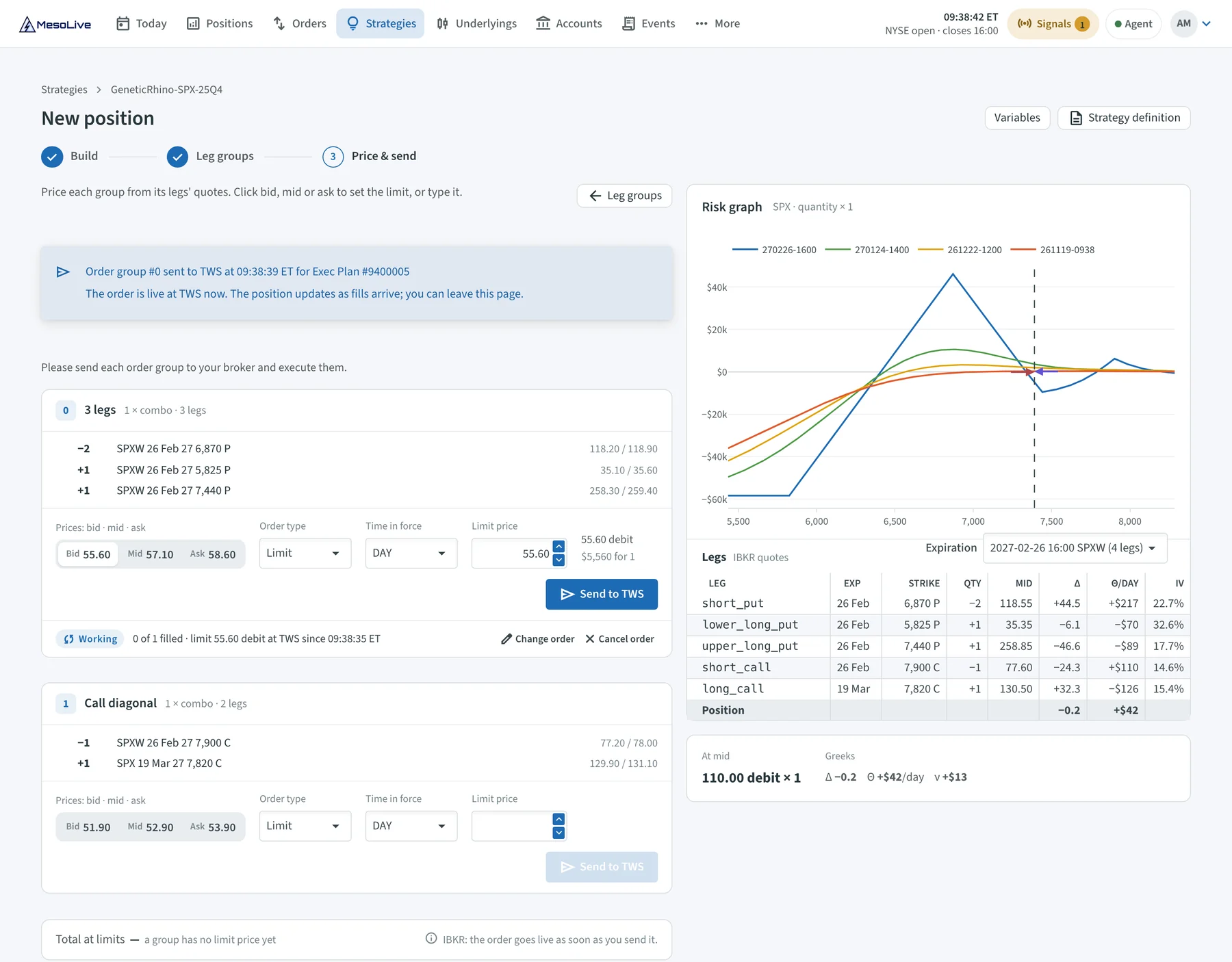
Price & send, the last step: the put butterfly of the new position works at the brokerage, and the call diagonal is priced next.
MesoLive now computes implied volatility and Greeks itself, the same way MesoSim does. Strike selection, the Greeks of your positions, the risk graph and the variables your rules read all use these values, at every brokerage. The 22 delta put of the live account is the 22 delta put of the backtest.
Each position has a Rules tab. It lists the strategy's exits and adjustments with their current values, so you see how far a rule is from firing. A triggered rule offers its action: Move leg… opens the adjustment as the strategy defines it.
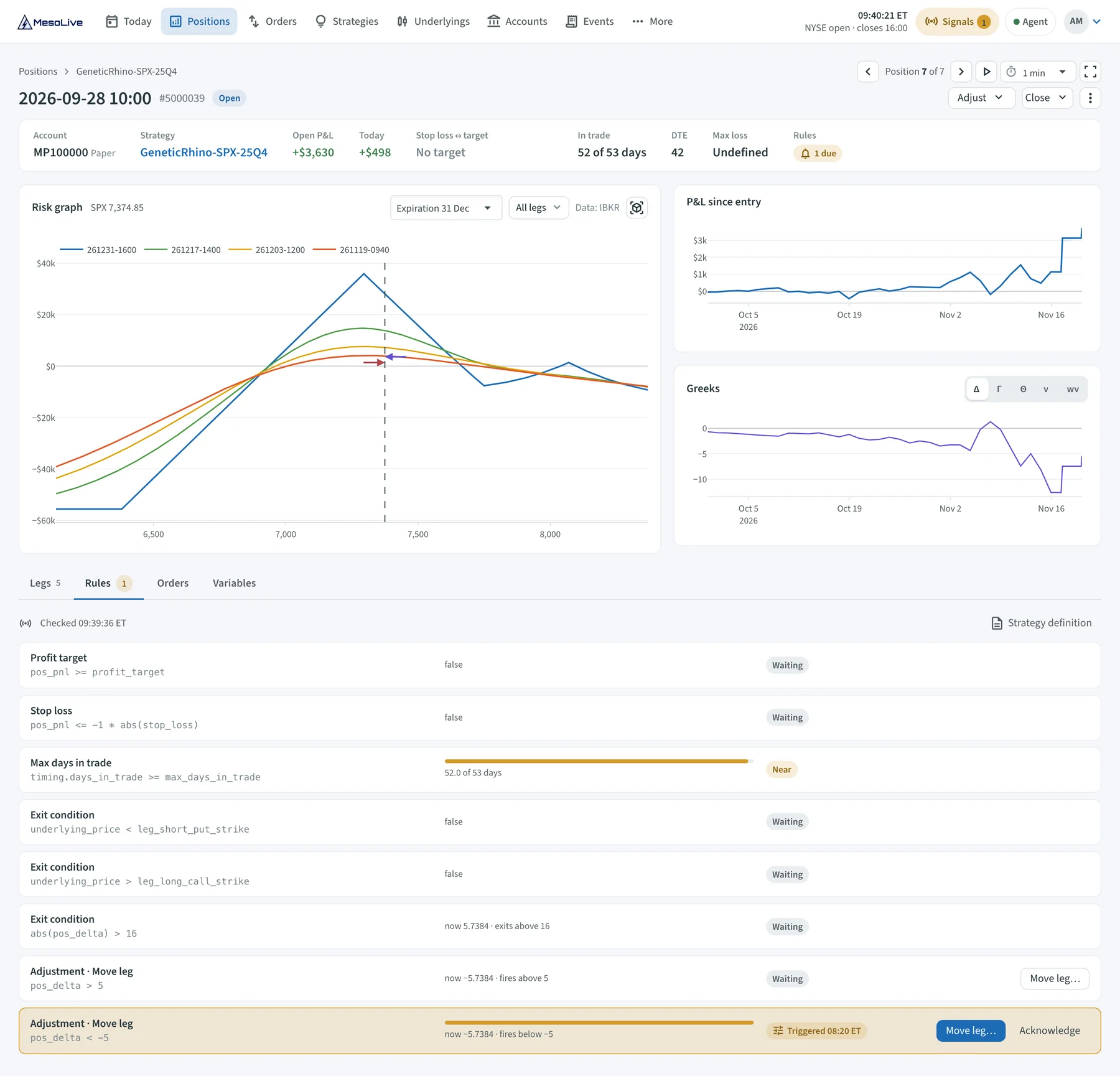
The Rules tab of a Genetic Rhino position: the exit by days in trade is close, and the position delta has triggered an adjustment.
Live vs. Backtest
Strategy Details is now a report with the layout of MesoSim's Backtest Details: the equity curve, the drawdown and the statistics of the live strategy. The statistics of the backtest stand in a column beside your live numbers, so you can check whether the strategy does live what it did in the backtest. The same panel compares the strategy with SPX.
Supported brokerages
MesoLive trades through your own brokerage account. With v3.0, Tradier joins Interactive Brokers and TastyTrade: accounts, positions, quotes and orders go through Tradier's API, and the setup takes an access token.

Interactive Brokers, TastyTrade and, new in v3.0, Tradier.
More brokerages will follow. Until yours is supported, you can already plan and track its trades with paper trading and place the orders yourself.
MesoLive Agent 3.0
The MesoLive Agent connects your brokerage to MesoLive from your own computer. Agent 3.0 has new screens: a catalog of the brokerages, the state of every connection, and an activity log of the orders it passed on.
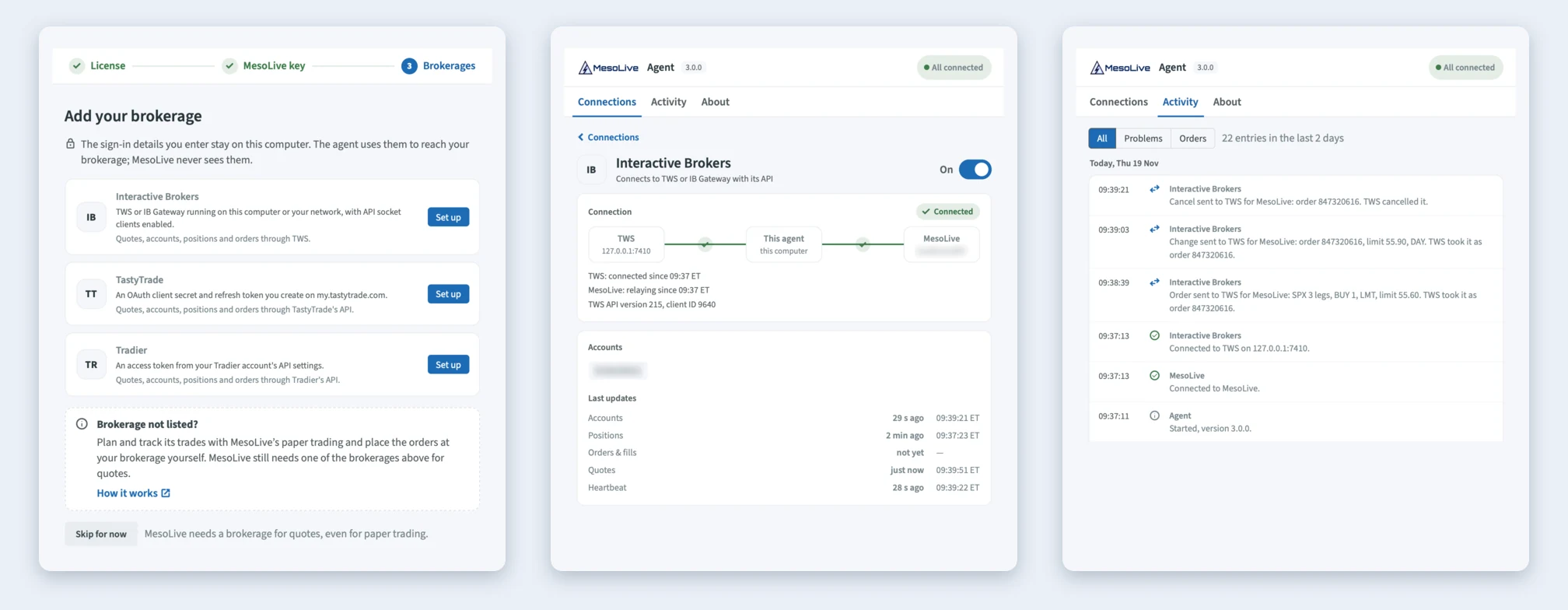
Agent 3.0: the brokerage catalog, a brokerage's connection, and Activity with the order of the example above.
MesoLive 3.0 needs Agent 3.0 to send orders and to select strikes. Older agents still connect and show your accounts and positions, but orders to a brokerage are refused until you update.
Interactive Brokers users: an order sent from MesoLive is now live at TWS at once. You no longer transmit it in TWS, and MesoLive asks for your confirmation before each live order.
Getting started
MesoLive 3.0 is available now at mesolive.io. If you already trade with MesoLive, update your agent and you are ready. New accounts are guided through the setup: install the agent, create its key, connect the brokerage.
If you haven't tried MesoLive yet, you can start without risk: MesoSim Standard and Advanced subscriptions include MesoLive paper trading. Live execution with a connected brokerage is an add-on to your plan, and it is included in the trial. The details are on the pricing page. The documentation covers the setup, and four short video tutorials walk you through MesoLive 3, from setup to results.
As always, we look forward to your feedback.